
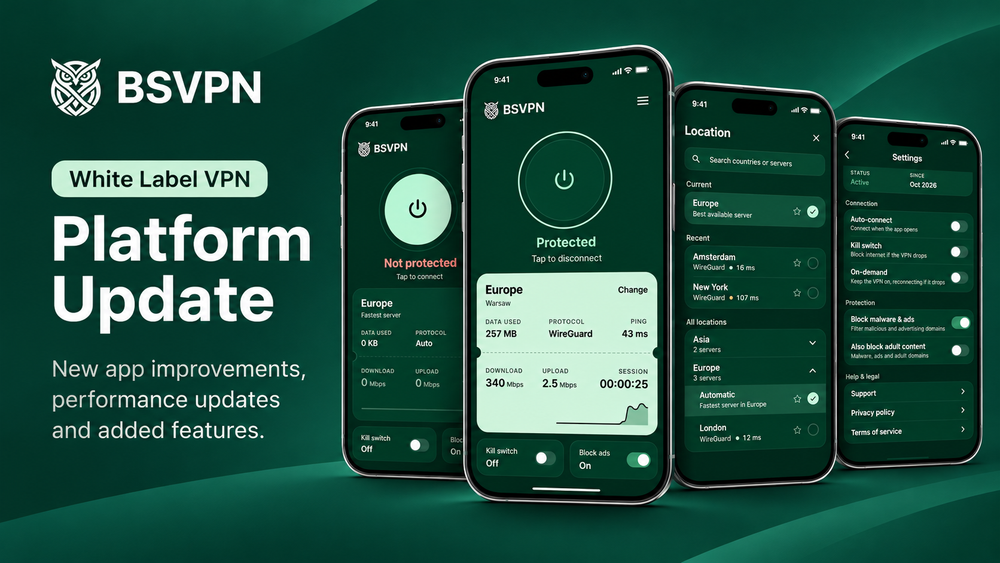
Our latest VPN update is here, bringing a refreshed app design, split tunnelling on Android, a new DNS network and faster connections across our apps and dashboard.
We’ve also added more control inside the apps, so customers can choose their DNS protection and manage their connections without opening the panel. The update focuses on the experience people use every day, from opening the app to changing a connection.
A fresh look for our VPN app
We’ve refreshed the VPN connection design, bringing a new look to one of the app’s central tasks: connecting to a VPN.
When someone opens the app, they usually have something specific in mind. They might want to connect, switch profiles or review the connections they’re using. Our aim is for the experience around those tasks to feel clear and considered.
The design refresh arrives alongside practical additions such as View Connections and selectable DNS protection. As customers have more choices inside the app, we want those features to feel like parts of the same experience.
We’ve also fixed an unwanted scrollable area in the VPN app. Paying attention to smaller details is part of that work too, alongside the more visible changes to the connection design.
More flexibility with Android split tunnelling
Split tunnelling is now available in our Android VPN app. It gives customers control over which traffic uses the VPN and which uses their regular internet connection.
For someone who needs the VPN for only part of what they’re doing, that means more flexibility. They can keep some traffic on the VPN while allowing other traffic to use their usual connection.
Choose DNS protection inside the app
We’ve launched our new DNS network, which runs entirely in memory with zero DNS logging. It includes full support for DNS over HTTPS (DoH) and DNS over TLS (DoT).
DNS is the system that turns website names into the addresses a device uses to connect. With DoH or DoT, those requests and responses are encrypted between the customer’s device and our DNS servers. This helps protect their DNS traffic from being read or altered by someone monitoring that connection.
Customers can choose their protection level directly in the VPN app, with options to block ads, malware and adult sites. That gives them a say in the filtering they use, based on their own needs and preferences.
The choice is available where they already manage their VPN connection. It brings DNS protection into the app experience and lets each customer select the level that suits them.
Manage connections without opening the panel
Our new View Connections feature lets customers view, manage and remove VPN connections directly in the apps.
If someone needs to review their connections or remove one they no longer need, they can do it without logging in to the panel. The task stays inside the app they’re already using.
For businesses running a VPN service, it brings another self-service task into the customer’s app. For customers, it removes the extra step of opening a separate interface to make the change.
Faster connections and better handling of changes
We’ve improved VPN connection speeds across our apps and dashboard, alongside the way connection changes are handled.
Customers do not always wait for one action to finish before starting another. Someone might choose a profile, start connecting and then decide to switch to a different profile before the connection is ready.
Our latest update improves how the platform handles connecting, disconnecting and switching profiles while a connection is already in progress. These are everyday interactions, and they deserve the same attention as the moment a connection is first established.
Connection information for your own tools
For teams building their own integrations, we’ve added an API endpoint that lists all VPN connections.
This gives developers a way to retrieve the connection list for use in their own tools and dashboards. It complements the controls inside the VPN apps, making connection information available through the API as well.
To see how the apps fit into the full service, including branded app options, billing and the customer portal, explore our white label VPN platform.